
Eurosparx

Categories
Air Conditioning Car Accessories

Guide to Adding Rear Entertainment Systems to Family Vehicles

Long drives with children can be challenging, especially when boredom sets in and the familiar chorus of “are we there yet?” begins. Rear entertainment systems have become an increasingly popular solution for Auckland families looking to make their journeys more enjoyable for everyone in the vehicle. This article will explore everything you need to know about adding rear entertainment systems to your family vehicle, from the different types available to installation considerations and the benefits they offer.

Types of Rear Entertainment Systems Available

Overhead Flip-Down Monitors

Overhead flip-down monitors remain one of the most popular choices for family vehicles in Auckland. These systems mount to the ceiling of your vehicle, typically between the front and rear seats, and flip down when in use. When not needed, they fold flat against the roof, keeping them out of the way and maintaining a clean interior appearance. Modern flip-down monitors come in various sizes, ranging from 10 inches to 17 inches or larger, giving you flexibility based on your vehicle’s interior space and your family’s viewing preferences.

These monitors often come with built-in DVD players, though many newer models also include HDMI inputs, USB ports, and wireless connectivity options. This means your children can watch movies, play video games through a connected console, or stream content from tablets and smartphones. The central mounting position ensures that all rear passengers have a clear view of the screen, making it an excellent choice for vehicles that regularly carry multiple children.

Headrest-Mounted Screens

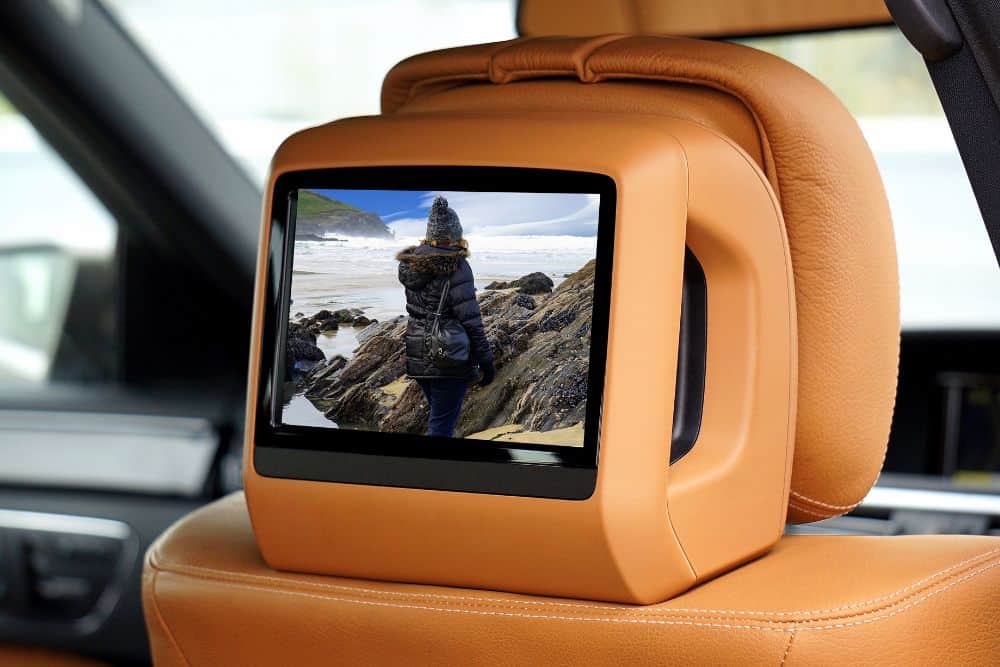
Headrest-mounted entertainment systems offer a different approach, with individual screens built into or attached to the back of the front seat headrests. This setup provides each rear passenger with their own dedicated screen, which can be particularly beneficial when children have different viewing preferences. One child might want to watch a cartoon while another prefers to play a video game, and headrest systems make this possible without any arguments over what to watch.

These systems come in two main varieties: replacement headrests with built-in screens and portable units that attach to existing headrests. Replacement headrests provide a more integrated, factory-fitted appearance and are permanently installed in the vehicle. Portable options offer more flexibility, as they can be moved between vehicles or removed entirely when not needed. Many headrest systems now include wireless headphone capabilities, allowing passengers to listen to their content without disturbing others in the vehicle.

Portable and Tablet-Based Solutions

For families who want flexibility without permanent installation, portable entertainment solutions offer an attractive alternative. These systems typically involve mounting brackets or holders that secure tablets or portable DVD players to the back of front seats. While not as integrated as built-in options, they provide a cost-effective entry point into rear entertainment and can easily be transferred between vehicles.

Many Auckland families choose to use iPads or Android tablets with purpose-built vehicle mounts. These setups take advantage of the tablets’ existing content libraries, streaming capabilities, and app ecosystems. When combined with a quality mount and perhaps a dedicated vehicle power supply, tablets can provide an entertainment experience that rivals dedicated systems. Some families prefer this approach because the devices can also be used outside the vehicle for other purposes.

Key Features to Look For

Screen Quality and Size

When selecting a rear entertainment system, screen quality should be a primary consideration. Higher resolution screens provide clearer images and are easier on young eyes during extended viewing sessions. Look for systems that offer at least 1080p resolution, as this has become the standard for modern entertainment. Screen size matters too, but bigger is not always better. The ideal size depends on your vehicle’s interior dimensions and the typical viewing distance for rear passengers.

Anti-glare coatings are another important feature to consider, particularly for New Zealand’s bright sunny conditions. A screen that becomes washed out in direct sunlight will frustrate passengers and limit when the system can be used effectively. Quality systems incorporate coatings and screen technologies that maintain visibility even when light enters the vehicle from various angles.

Audio Options

Sound management is crucial in a vehicle environment where the driver needs to concentrate on the road. The best rear entertainment systems offer multiple audio output options to suit different situations. Wireless Bluetooth headphones allow children to enjoy their content at whatever volume they prefer without affecting the driver or other passengers. Many systems support multiple headphone connections simultaneously, so each child can have their own set.

For times when headphones are not desired, quality systems can route audio through the vehicle’s existing speaker system. This might be appropriate for family movie time during long holiday drives when everyone wants to watch and listen together. Some systems also include built-in speakers in the monitor itself, providing a middle-ground option that keeps sound localised to the rear seating area.

Connectivity and Input Options

Modern rear entertainment systems should offer a variety of input options to accommodate different media sources. HDMI inputs allow connection of gaming consoles, streaming devices, and other external equipment. USB ports enable playback of content stored on flash drives and can also charge mobile devices. Some systems include SD card slots for easy playback of downloaded movies and shows.

Wireless connectivity has become increasingly important in rear entertainment systems. Screen mirroring capabilities allow content from smartphones and tablets to be displayed on the vehicle’s screens without physical cables. This feature is particularly useful for streaming services that may not have direct compatibility with the entertainment system. Built-in WiFi in some premium systems even allows direct streaming when the vehicle is within range of a hotspot or when connected to a mobile data source.

Installation Considerations for Auckland Vehicles

Professional Installation Benefits

While some rear entertainment systems are marketed as DIY installations, professional installation offers significant advantages that make it worthwhile for most Auckland families. A qualified auto electrician understands how to properly integrate the system with your vehicle’s electrical system, ensuring reliable operation without risking damage to existing components. Professional installation also ensures that wiring is properly routed and concealed, maintaining your vehicle’s interior appearance.

Safety is another critical reason to choose professional installation. Rear entertainment systems must be securely mounted to prevent them from becoming projectiles in the event of sudden braking or an accident. An experienced installer knows how to properly anchor these systems and will ensure all mounting hardware is rated for automotive use. They will also position screens and cables so they do not interfere with seatbelts, airbags, or other safety equipment.

Professional installers can also advise on the best system and configuration for your specific vehicle and family needs. They understand the electrical demands of different systems and can ensure your vehicle’s alternator and battery can handle the additional load. This expertise helps avoid electrical issues after installing aftermarket accessories like premature battery drain or blown fuses that can occur with improper installations.

Vehicle-Specific Considerations

Different vehicle types present different installation challenges and opportunities. SUVs and minivans typically offer ample headroom for overhead flip-down monitors and often have existing power points that can be utilised. Smaller vehicles may be better suited to headrest-mounted systems or compact overhead units that do not compromise headroom for rear passengers.

The electrical system capacity of your vehicle is another important consideration. Older vehicles may require upgrades to handle the power demands of modern entertainment systems, particularly if you plan to run multiple screens, gaming consoles, or other high-draw accessories simultaneously. A professional auto electrician can assess your vehicle’s capacity and recommend any necessary upgrades to ensure reliable operation.

Some newer vehicles come pre-wired for rear entertainment systems, even if they were not originally equipped with one. Taking advantage of this existing wiring can simplify installation and reduce costs. Your installer can determine whether your vehicle has this wiring and the best way to utilise it.

Benefits of Rear Entertainment Systems for Families

Peaceful and Enjoyable Journeys

The most immediate benefit of a rear entertainment system is the transformation of travel time for both children and parents. Children who are engaged with movies, shows, or games are far less likely to become restless or disruptive during long journeys. This allows parents to focus on driving without constant interruptions, making travel safer and more relaxing for everyone. Many Auckland families report that rear entertainment systems have completely changed their experience of long drives to holiday destinations.

Beyond simply keeping children occupied, entertainment systems can make car time something children actually look forward to. Instead of dreading long trips, kids may become excited about the opportunity to watch their favourite shows or play games. This positive association with travel can make family outings more frequent and enjoyable, as parents no longer avoid longer drives due to concerns about children’s behaviour.

Educational Opportunities

Rear entertainment systems are not limited to passive entertainment. Many families use travel time for educational content, turning drives into learning opportunities. Educational programmes, audiobooks, and learning apps can all be enjoyed through a properly equipped entertainment system. Some parents find that their children are actually more receptive to educational content during car journeys, perhaps because there are fewer distractions than at home.

Language learning programmes, nature documentaries, and historical content can all be incorporated into family travel time. For Auckland families with children of different ages, individual headrest screens allow each child to engage with age-appropriate educational material. This flexibility means that a teenager studying for exams can watch revision content while a younger sibling enjoys an educational cartoon.

Value Addition to Your Vehicle

A professionally installed rear entertainment system can add value to your vehicle when it comes time to sell or trade in. Family-oriented buyers actively seek vehicles with entertainment features, and a quality system can make your vehicle more attractive in the competitive used car market. The key is ensuring the installation is done professionally, as poorly installed aftermarket systems can actually detract from a vehicle’s value.

Quality systems from reputable brands that are properly integrated with the vehicle’s interior will always command better resale value than cheap alternatives that look out of place. When choosing a system, consider it as an investment in both your family’s current enjoyment and your vehicle’s future value.

Need Help Adding Rear Entertainment to Your Family Vehicle?

Adding a rear entertainment system to your family vehicle can transform your travel experiences and bring peace to every journey with your children. As Auckland’s trusted auto electricians, Eurosparx can help you select and professionally install the perfect entertainment system for your vehicle and family needs. Contact our team today by calling 09 218 7789 to discuss your options and book an installation.
Categories
Air Conditioning

How to Wire a 7-Pin Trailer Plug Correctly

Wiring a 7-pin trailer plug correctly is essential for ensuring your trailer’s lights, brakes, and auxiliary functions work safely and reliably on New Zealand roads. This guide will walk you through the complete process of wiring a 7-pin trailer plug, covering everything from understanding the pin configuration to making secure connections that will last.

Understanding the 7-Pin Trailer Plug Configuration

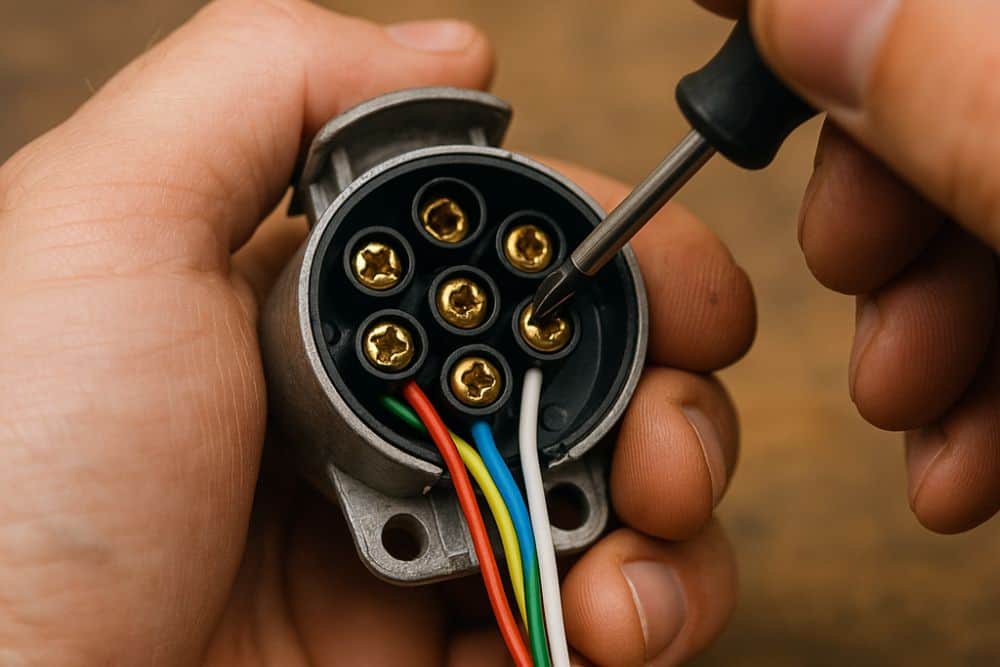
The standard 7-pin flat trailer plug used throughout New Zealand and Australia follows a specific wiring configuration that you must adhere to for proper function and legal compliance. Each pin serves a distinct purpose, and getting even one connection wrong can result in faulty lights or, worse, brake failure. The seven pins are arranged in a flat configuration, and understanding their layout is the first step to successful wiring.

Pin 1 is designated for the left indicator and brake light, carrying a yellow wire.

Pin 2 handles the reverse lights and uses a black wire.

Pin 3 is the earth or ground connection, which is critical for completing all circuits, and uses a white wire.

Pin 4 connects to the right indicator and brake light with a green wire.

Pin 5 powers the electric brakes using a blue wire.

Pin 6 powers the tail, clearance, and number plate lights (both sides) with a brown wire.

Finally, Pin 7 is often used for auxiliary functions (e.g., interior lights or battery charge) with a red wire.

This follows the Australian/New Zealand 7-pin flat plug standard (AS 4177.5-2004). Memorising this configuration or keeping a reference chart handy will prevent costly mistakes during installation.

Gathering the Required Tools and Materials

Before beginning the wiring process, make sure you have all necessary tools and materials on hand. You will need a 7-pin trailer plug and socket set, appropriate automotive cable (typically 5-core or 7-core depending on your trailer’s requirements), wire strippers, crimping tools, electrical tape, heat shrink tubing, and a multimeter for testing connections. Having a soldering iron is optional but recommended for creating more durable connections that can withstand the vibrations and weather exposure common in trailer use.

Quality matters significantly when selecting your materials. Choose marine-grade or automotive-grade cable that can withstand moisture, temperature fluctuations, and physical wear. Cheap cable with inadequate insulation will deteriorate quickly, especially in Auckland’s humid coastal environment. Similarly, invest in a quality plug and socket with solid brass pins rather than cheaper alternatives that corrode easily. The small additional cost will save you from repeated repairs and potential roadside breakdowns.

Preparing the Cable and Plug

Start by cutting your trailer cable to the appropriate length, allowing enough slack to account for turns and vehicle movement without creating excess cable that could drag or snag. Strip approximately 50-60mm of the outer sheath from the cable end, being careful not to damage the individual wire insulation beneath. Once exposed, separate the individual wires and strip about 5-7mm of insulation from each wire end. If your cable contains more cores than you need, identify which wires you will use according to the standard colour coding and tape back any unused wires to prevent short circuits.

Prepare the plug housing by unscrewing or opening it according to the manufacturer’s design. Most 7-pin plugs have a cable grip or clamp that secures the outer sheath, preventing strain on the individual wire connections. Thread the cable through this grip before making any connections, as you will not be able to add it afterwards. Slide heat shrink tubing onto each wire before making connections if you plan to use this additional protection method.

Making the Pin Connections

Connect each wire to its corresponding pin terminal within the plug, following the standard configuration outlined earlier. If your plug uses screw terminals, twist the exposed wire strands tightly together, form a hook shape, wrap it around the screw in a clockwise direction, and tighten securely. The clockwise wrapping prevents the wire from working loose as you tighten the screw. For crimp-style terminals, insert the wire fully into the crimp connector and use a proper crimping tool to create a solid mechanical connection. Avoid using pliers as a substitute for a crimping tool, as they rarely create adequate pressure for a reliable connection.

For the most durable connections, particularly in the harsh marine environment common around Auckland, consider soldering your connections after crimping. This creates a gas-tight seal that prevents corrosion from moisture infiltration. Apply heat shrink tubing over each connection and use a heat gun to shrink it tightly, providing both insulation and mechanical protection. Take special care with the earth wire (Pin 3), as a poor earth connection is the most common cause of trailer lighting problems. Ensure this connection is clean, tight, and corrosion-free.

Securing the Cable and Housing

Once all pin connections are complete, tighten the cable grip or clamp firmly on the outer cable sheath. This strain relief is crucial because it prevents the individual wire connections from bearing the mechanical stress of cable movement, which would otherwise cause them to break or work loose over time. Make sure the grip is tight enough to hold the cable firmly but not so tight that it crushes the cable or damages the outer sheath.

Carefully arrange the wires inside the plug housing so they sit neatly without crossing or putting strain on any connections. Close the plug housing and secure it according to the manufacturer’s design, whether that involves screws, clips, or a threaded collar. Some plugs include rubber gaskets or seals that provide water resistance. Make sure these are properly positioned before closing the housing. Apply a small amount of dielectric grease to the pins and socket connections to further protect against corrosion, which is particularly important in coastal areas.

Testing Your Connections

Before connecting your trailer to the vehicle, test each circuit with a multimeter to verify proper continuity and function. Set your multimeter to continuity or resistance mode and check each pin against the earth pin. You should see an open circuit (infinite resistance) when the corresponding light or function is off. Connect the plug to your vehicle’s socket and have someone operate each function (indicators, brake lights, tail lights, reverse lights) while you verify that the correct pins are receiving power and that all lights illuminate properly.

Pay particular attention to the brake light function on both sides, as these share pins with the indicators and must work correctly in all situations. Test the electric brake connection if your trailer is equipped with electric brakes by using a brake controller test function or multimeter to verify that Pin 6 is receiving the appropriate variable voltage signal. Check for any voltage present on the earth wire (Pin 3), which would indicate a fault in the grounding system. If you discover any issues during testing, disconnect the power, identify the problem connection, and rectify it before using the trailer on the road.

Common Wiring Mistakes to Avoid

One of the most frequent errors is reversing the left and right circuits, which causes indicators and brake lights to illuminate on the wrong side of the trailer. This creates a serious safety hazard and is illegal. Always double-check your connections against the standard pin configuration before closing the plug housing. Another common mistake is inadequate insulation between terminals, which can cause short circuits when wires touch inside the housing, leading to blown fuses or damaged vehicle wiring.

Many people also underestimate the importance of a solid earth connection. Using an undersized earth wire, making a loose connection, or relying on the trailer’s chassis for earthing without a proper dedicated earth wire often results in intermittent lighting problems that are frustrating to diagnose. In Auckland’s humid climate, corrosion can quickly degrade marginal connections, so always use the full specified earth wire and make sure every earth connection is clean and tight. Finally, avoid using inappropriate cable types such as household electrical cable or speaker wire, which lack the necessary insulation, flexibility, and durability for automotive applications.

Maintaining Your Trailer Plug Connection

Regular maintenance will extend the life of your trailer plug and prevent problems on the road. After each use, particularly if you have been near saltwater or in wet conditions, disconnect the plug and inspect it for signs of corrosion, damage, or water ingress. Wipe both the plug and socket dry and apply a light coating of dielectric grease or corrosion-inhibiting spray to the pins. Store the plug in a secure location when not connected, using a plug cover or dummy socket to keep dirt and moisture out.

Every few months, or before any long journey, perform a complete function test of all circuits. Check that all connections inside the plug remain tight and that no wires have chafed or become damaged. Look for any discolouration or melting of plastic components, which indicates excessive current draw or poor connections creating resistance and heat. Replace any damaged components immediately rather than attempting temporary repairs. The relatively small cost of a new plug is insignificant compared to the danger and inconvenience of trailer lighting failure on a busy motorway.

Need Help With Trailer Wiring?

Properly wiring a 7-pin trailer plug requires attention to detail and understanding of automotive electrical systems. While it is a task that capable DIY enthusiasts can complete, incorrect wiring poses serious safety risks and can damage your vehicle’s electrical system. As Auckland auto electricians, we can help you with all aspects of trailer plug wiring, from installation and testing to fault diagnosis and repairs. Contact our team today by calling 09 218 7789 to ensure your trailer electrical system is safe, legal, and reliable.

Categories
Air Conditioning

Why Your Speedometer Isn’t Working (Common Causes)

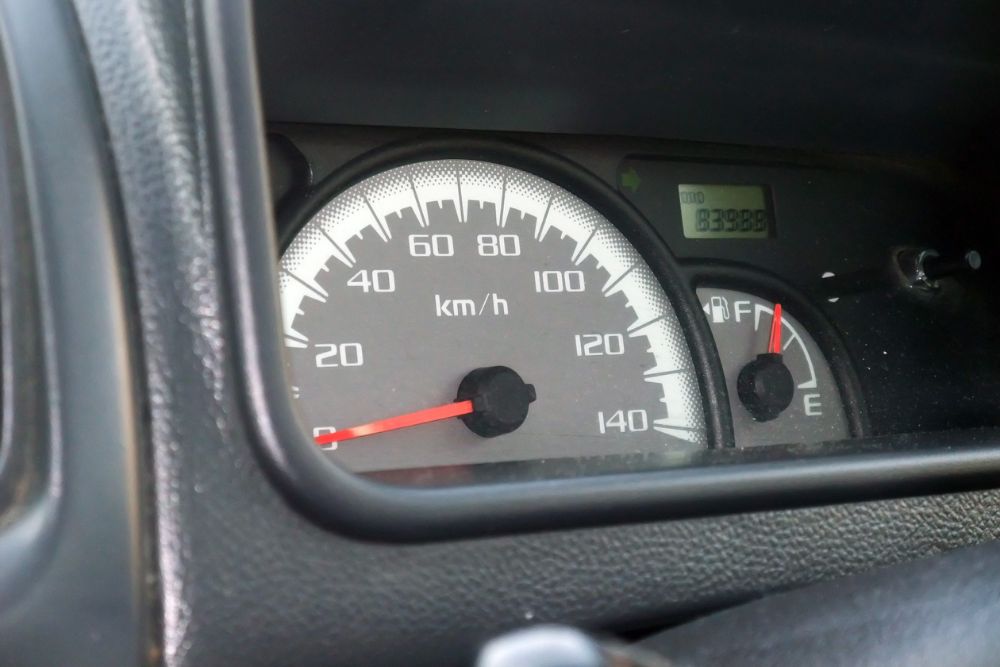
When your speedometer stops working, it’s more than just an inconvenience, it can make driving unsafe and even land you in trouble with the law. Understanding the common causes behind a faulty speedometer can help you recognise the problem early and get it sorted before it becomes a bigger issue. This article explores the typical reasons why speedometers fail and what you can do about it.

Faulty Speed Sensor

The speed sensor is one of the most common culprits when your speedometer stops working. This small electronic component is typically located on the transmission or differential and measures how fast your vehicle is travelling by monitoring the rotation of the wheels or output shaft. When the speed sensor fails or develops a fault, it can no longer send accurate information to your speedometer, causing it to display incorrect readings or stop working altogether. Modern vehicles rely heavily on electronic speed sensors, which means that when they fail, you might also notice issues with your cruise control or anti-lock braking system since these features often share the same sensor data.

Speed sensors can fail for several reasons, including exposure to extreme temperatures, oil or fluid contamination, or simply wear and tear over time. In Auckland’s variable weather conditions, where vehicles experience both humid coastal air and occasional cold snaps, the electronic components can be particularly vulnerable. You might notice the speedometer needle bouncing erratically before it fails completely, which is often an early warning sign that the speed sensor is on its way out. Sometimes the check engine light will also illuminate on your dashboard, and a diagnostic scan will reveal a speed sensor error code that confirms the problem.

Replacing a faulty speed sensor is generally a straightforward repair for an experienced auto electrician. The part itself is relatively inexpensive, but the labour involved can vary depending on where the sensor is located on your particular vehicle model. Some sensors are easily accessible, whilst others require removing components or lifting the vehicle to reach them properly. It’s worth addressing this issue promptly because driving without a working speedometer isn’t just inconvenient—it’s illegal in New Zealand and can result in fines if you’re stopped by police.

Damaged or Worn Speedometer Cable

If you’re driving an older vehicle, particularly one manufactured before the mid-1990s, your speedometer likely relies on a mechanical cable rather than an electronic sensor. This cable connects the transmission to the speedometer gauge and physically spins to indicate your speed. Over time, these cables can become worn, frayed, or broken, resulting in a speedometer that jumps around, reads inaccurately, or stops working entirely. You might also hear a squealing or whining noise coming from behind the dashboard when the cable is damaged, which is caused by the frayed metal strands rubbing against the cable housing.

Speedometer cables can fail due to age, lack of lubrication, or physical damage from road debris or improper installation during previous repairs. The cable runs from underneath the vehicle up through the firewall and into the dashboard, which means it’s exposed to the elements and vulnerable to corrosion, especially in Auckland’s salty coastal environment. When the cable breaks completely, the speedometer needle will simply drop to zero and stay there regardless of how fast you’re travelling. In some cases, the cable becomes kinked or bent, which restricts its movement and causes intermittent or inaccurate readings rather than complete failure.

Replacing a speedometer cable requires removing the old cable from both the transmission end and the gauge end, then threading a new cable through the same route. This can be a fiddly job that requires patience and experience, particularly when routing the cable through tight spaces in the engine bay and dashboard. An auto electrician will ensure the new cable is properly lubricated and secured at both ends to prevent future problems. Whilst mechanical speedometer systems are becoming less common, there are still plenty of older vehicles on Auckland roads that rely on them, so knowing how to diagnose and repair cable issues remains an essential skill.

Faulty Instrument Cluster

Sometimes the problem isn’t with the speed sensor or cable at all, but with the instrument cluster itself. The instrument cluster houses all your dashboard gauges, including the speedometer, and contains circuit boards, motors, and electronic components that can fail over time. When the speedometer portion of the instrument cluster develops a fault, you might notice that other gauges continue working normally whilst only the speedometer is affected. This is often caused by a failed stepper motor, which is the small motor that moves the speedometer needle, or by damaged circuitry on the printed circuit board inside the cluster.

Instrument clusters can develop problems due to age, electrical surges, moisture ingress, or manufacturing defects. Some vehicle models are known for having weak solder joints on the circuit boards, which can crack and fail after years of vibration and temperature cycling. When this happens, the electrical connection to the speedometer is interrupted, causing it to stop functioning. You might also experience problems with the odometer not recording mileage correctly, or the trip metre not resetting, which are all signs that the instrument cluster needs attention. Dashboard warning lights might flicker or fail as well if the circuit board damage is extensive.

Repairing an instrument cluster requires specialised knowledge and equipment. The cluster must be carefully removed from the dashboard, disassembled, and tested to identify the exact fault. In some cases, faulty solder joints can be repaired by reflowing the solder, whilst in other situations, components like stepper motors need to be replaced. Some vehicle models require the instrument cluster to be reprogrammed or recalibrated after repair to ensure it communicates properly with the vehicle’s other systems. This is particularly important for newer vehicles where the instrument cluster is integrated with the vehicle’s computer network. An experienced auto electrician will have the diagnostic tools and technical knowledge needed to properly diagnose and repair instrument cluster faults.

Blown Fuse or Wiring Issues

Sometimes a non-working speedometer is caused by something as simple as a blown fuse. Modern vehicles have multiple fuse boxes that protect different electrical circuits, and the speedometer is typically on its own dedicated circuit. If this fuse blows due to an electrical surge or short circuit, the speedometer will stop receiving power and won’t function at all. Checking the fuses should always be one of the first diagnostic steps when troubleshooting a faulty speedometer, as it’s quick, easy, and might save you from unnecessary repairs. Your vehicle’s owner’s manual will show you where the fuse boxes are located and which fuse protects the instrument cluster or speedometer circuit.

Beyond blown fuses, wiring problems can also cause speedometer failures. The wiring harness that connects the speed sensor or speedometer cable to the instrument cluster can become damaged, corroded, or disconnected over time. This is particularly common in areas where the wiring is exposed to moisture, heat, or physical wear. Rodents can also chew through wiring insulation, creating short circuits or open circuits that prevent the speedometer from working properly. You might notice intermittent speedometer operation that comes and goes as you drive over bumps, which often indicates a loose connection or damaged wire that’s making and breaking contact as the vehicle moves.

Diagnosing wiring issues requires systematic testing with a multimeter to check for continuity, proper voltage, and ground connections throughout the speedometer circuit. An auto electrician will trace the wiring from the speed sensor through any connectors and into the instrument cluster, looking for breaks, corrosion, or resistance that could be causing the problem. Once identified, damaged sections of wire can be repaired or replaced, and connectors can be cleaned and secured properly. It’s worth noting that modern vehicles often use multiplexed wiring systems where information is shared across a data network rather than through individual wires, which means specialised diagnostic equipment is needed to properly test the system and identify faults.

Important Considerations When Driving Without a Working Speedometer

Driving without a functioning speedometer presents several significant challenges and risks that you should be aware of. The most obvious issue is that you won’t know exactly how fast you’re travelling, which makes it difficult to stay within speed limits and increases your risk of getting a speeding ticket. In New Zealand, it’s a legal requirement that your speedometer is in working order, and you can be fined if your vehicle is found to have a non-functioning speedometer during a roadside check. On top of that, insurance companies may question claims if they discover your vehicle had a known defect like a broken speedometer at the time of an accident.

Without a working speedometer, you’ll need to pay much closer attention to road signs, traffic flow, and your surroundings to estimate your speed. This can be mentally exhausting and takes your focus away from other important aspects of safe driving. You might find yourself watching GPS speed displays on your phone or navigation system, but these aren’t always accurate and can lag behind your actual speed, particularly when accelerating or decelerating. Furthermore, constantly looking at alternative speed displays creates additional distraction that can compromise your safety and the safety of other road users.

If your speedometer stops working, it’s best to limit your driving until you can get it repaired. If you must drive the vehicle, stick to routes you know well where you’re familiar with the appropriate speeds, and leave extra following distance to compensate for your uncertainty about how fast you’re travelling. Remember that cruise control won’t work properly without a functioning speed sensor in most vehicles, so you’ll need to maintain your speed manually. Schedule a repair appointment as soon as possible to get your speedometer back in working order and avoid the stress and legal risks of driving without one.

The Connection Between Speedometer and Other Vehicle Systems

Many drivers don’t realise that the speedometer is connected to several other important vehicle systems, which means a faulty speedometer might be accompanied by other problems. The anti-lock braking system (ABS) relies on wheel speed sensors to monitor individual wheel speeds and prevent lockup during hard braking. If these sensors are faulty or if there’s a problem with the speed sensor signal, you might notice your ABS warning light illuminated on the dashboard alongside your non-functioning speedometer. This is particularly important from a safety perspective because it means your ABS may not function properly in an emergency braking situation.

Cruise control is another system that depends on accurate speed information. When your speedometer isn’t working due to a faulty speed sensor, your cruise control typically won’t engage or will disengage immediately if it was already active. Some vehicles also use speed sensor data for transmission shift points, traction control systems, and stability control systems. This means that a faulty speed sensor can cause your transmission to shift roughly or at inappropriate times, or your traction control might activate unexpectedly. In severe cases, your vehicle might enter a “limp mode” where engine power is reduced to protect the drivetrain from potential damage due to incorrect speed information.

Modern vehicles with electronic engine management systems also use speed sensor data to calculate fuel consumption, adjust idle speed when the vehicle is moving, and control various emissions systems. A faulty speed sensor can therefore lead to reduced fuel economy, rough idling, or failed emissions tests. The interconnected nature of modern vehicle systems means that what seems like a simple speedometer problem can actually indicate a fault that’s affecting multiple systems throughout your vehicle. This is why it’s essential to have a qualified auto electrician diagnose the problem properly rather than ignoring it or attempting makeshift repairs that don’t address the underlying cause.

Need Help With Your Faulty Speedometer?

A non-working speedometer needs prompt attention to keep you legal, safe, and informed whilst driving. Whether it’s a failed speed sensor, damaged cable, faulty instrument cluster, or wiring issue, proper diagnosis and repair will restore your speedometer to full function and ensure all related systems work correctly. As auto electricians in Auckland, we can help you diagnose and repair speedometer faults in all makes and models. Contact our team today by calling 09 218 7789 to book your vehicle in for expert speedometer repair and get back on the road with confidence.